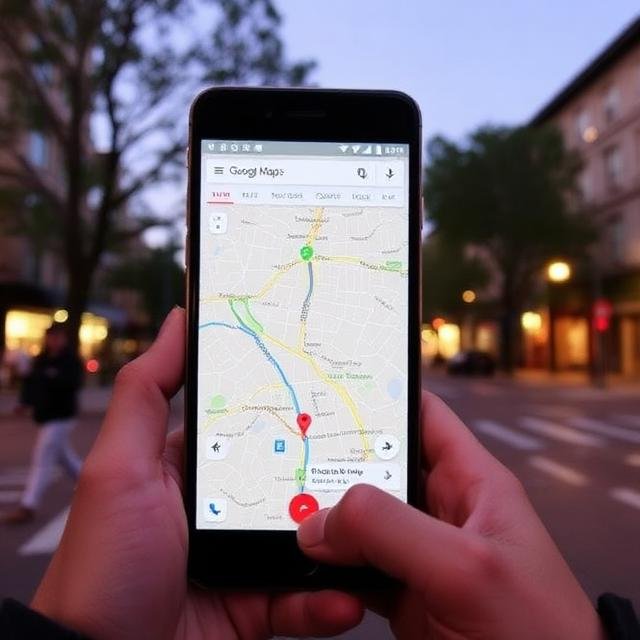
Traveling to new places is exciting, but it can sometimes be difficult to navigate unfamiliar locations without reliable internet access. When traveling abroad or visiting remote areas, mobile data may be expensive, slow, or unavailable. Fortunately, travelers can still navigate easily by using Google Maps offline maps.
Offline maps allow users to download specific areas in advance and access them without an internet connection. This feature can help travelers find directions, explore nearby places, and move around confidently even when they are offline. In this article, we will explain how to use Google Maps offline while traveling and why it is such a useful tool for modern travelers.
What Are Offline Maps?
Offline maps are downloadable versions of maps that can be stored directly on your smartphone. Once downloaded, these maps allow you to view locations, roads, and directions without needing a live internet connection.
When traveling in areas with limited network coverage, offline maps ensure that you can still navigate efficiently. This feature is especially useful for international travel, road trips, hiking adventures, and rural destinations where internet access may be unreliable.
Using offline maps also helps reduce mobile data usage, which can save money when roaming charges are high.
How to Download Maps for Offline Use
Downloading offline maps in Google Maps is simple and only takes a few steps.
First, open the Google Maps app on your smartphone while you are connected to the internet. Search for the city or region you plan to visit. Once the location appears on the screen, tap the location name or menu options and select “Download offline map.”
Next, choose the area you want to download by adjusting the map boundaries. Larger areas require more storage space, so it is important to select only the region you need. After confirming the selection, the map will be downloaded and stored on your device.
Once the download is complete, the map will be available even when your phone is offline.
Navigating Without Internet
After downloading the offline map, you can use many of the same features available online. You can search for locations within the downloaded area, view streets and landmarks, and get step-by-step driving directions.
Offline navigation works well for driving routes, allowing travelers to follow directions without needing an internet connection. The map will continue to track your location using your phone’s GPS.
However, some features such as real-time traffic updates, alternative routes, and public transportation information may require an active internet connection.
Benefits of Using Offline Maps
Using offline maps provides several important benefits for travelers.
Saves mobile data: Downloading maps before your trip allows you to navigate without using expensive mobile data.
Reliable navigation: Even in areas with weak or no signal, you can still access maps and directions.
Improved travel planning: Travelers can explore neighborhoods, attractions, and nearby places without needing internet access.
Peace of mind: Having access to maps offline ensures that you will not get lost in unfamiliar places.
These advantages make offline maps one of the most valuable travel tools available.
Tips for Using Offline Maps Effectively
To make the most of offline maps, it is helpful to follow a few practical tips.
First, download maps before leaving your hotel or home where you have a strong internet connection. This ensures that the map is saved successfully.
Second, update your offline maps regularly. Maps usually expire after a certain period, so refreshing them ensures that you have the most accurate information.
Third, download maps for all areas you plan to visit, including nearby cities or regions that may be part of your travel itinerary.
Finally, keep enough storage space on your device because large maps can take up significant memory.
Limitations of Offline Maps
Although offline maps are very useful, they do have some limitations. Features such as live traffic conditions, lane assistance, cycling routes, and public transportation schedules typically require an internet connection.
Additionally, some businesses or locations may not appear in offline search results if the information was updated after the map was downloaded.
Despite these limitations, offline maps still provide essential navigation support for most travel situations.
Final Thoughts
Traveling without reliable internet access can make navigation difficult, but offline maps provide a simple and effective solution. By downloading maps in advance using Google Maps, travelers can explore new destinations, follow driving directions, and discover local attractions without needing mobile data.
Offline maps are especially helpful for international travel, road trips, and remote locations where internet access may be limited. With proper preparation and a few simple steps, travelers can use this feature to stay on track and enjoy a smoother travel experience.
By learning how to use offline maps effectively, travelers can move around confidently and make the most of their journeys anywhere in the world.